⌖
DISCOVERRead the band.
Watch the live waterfall, choose a decoder or use Guided recognition, and follow the messages and validated callsigns coming in.
for Windows 11 (and 10)
Find the signal.
Reveal the message.
Precise digital decoding, guided mode recognition and powerful receive audio processing. Bring your HF radio or SDR into focus.
20 slides exploring the program.
Automatic slideshow, with full-screen viewing.
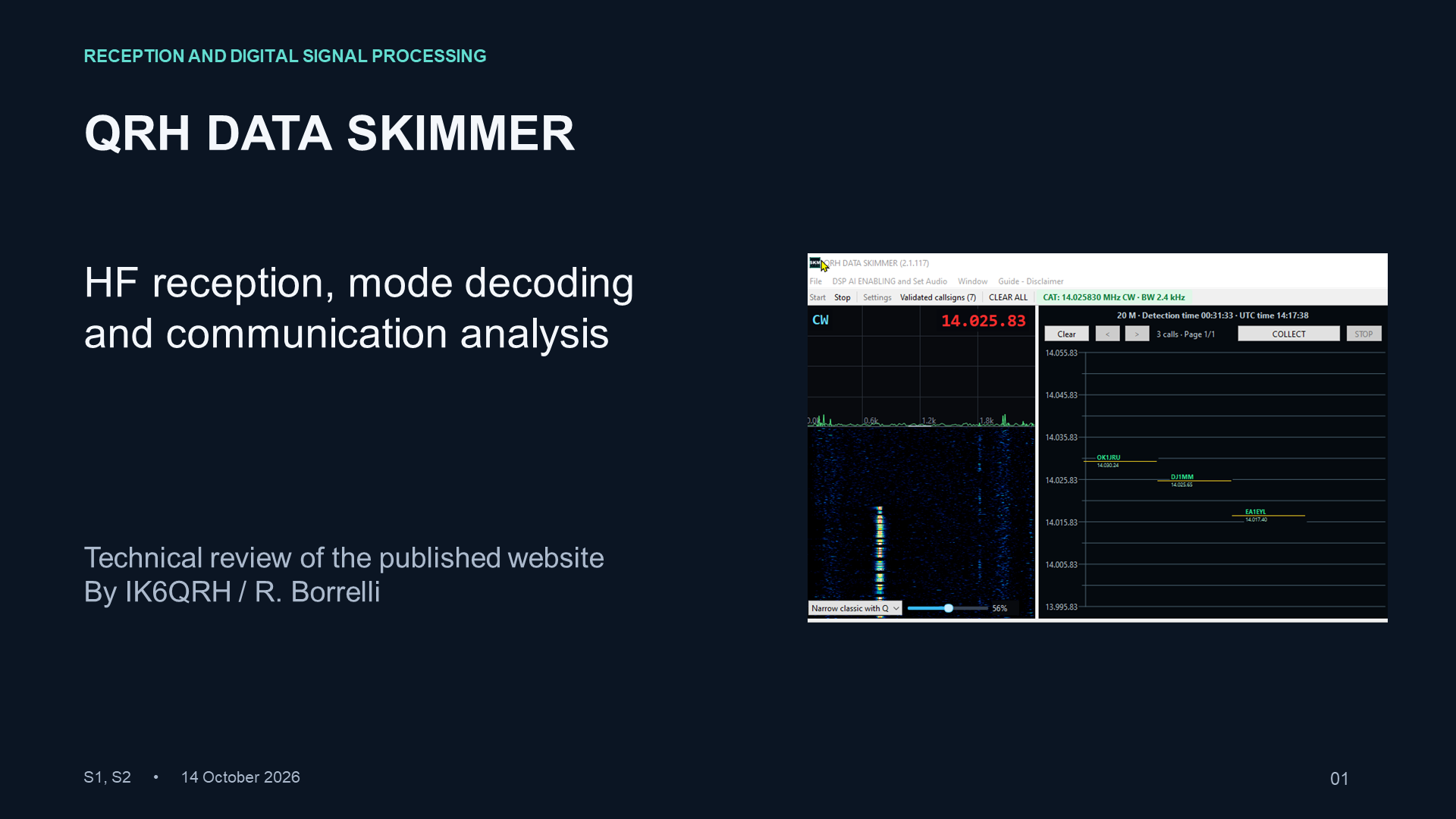
QRH DATA SKIMMER opens a universe of information for ham radio operators who are passionate about digital modes: FT8, FT4, RTTY, the new JTTY and many more. Explore signals, reveal messages and discover more of what is happening across the HF bands.
It also includes powerful, next-generation receive audio DSP through the program’s DSP AI ENABLING controls. Adaptive noise reduction, precise filtering and flexible audio processing help bring received communications into focus.
TRY IT FOR 30 DAYS ↗From a Morse carrier to a weak digital transmission, QRH DATA SKIMMER turns incoming signals into readable information.
A live spectrum and waterfall help you see activity, follow stations and inspect decoded messages. Fast processing keeps reception responsive, with straightforward controls and room to explore.
Eight decoding modes. Voice listening.
Explore the actual program screens.
Use QRH DATA SKIMMER as a FT8 skimmer, CW skimmer and Morse decoder, RTTY decoder, JTTY decoder, WSPR beacon decoder, WEFAX receiver, PSK31 decoder and JS8 decoder for JS8Call transmissions. FT4 reception, guided digital mode recognition, SDR I/Q processing and Hamlib CAT support bring multiple receiving tools into one Windows application.
For USB/LSB voice and CW listening, the receive audio DSP adds adjustable filters, noise reduction, notch processing, EQ and AGC to your HF radio audio.
Choose Guided recognition, start reception and draw a rectangle around the complete signal in the waterfall. A validated decode identifies the mode, then the matching decoder continues receiving.
Guided supports RTTY, PSK31, JTTY, WSPR, JS8, FT8 and FT4 through radio audio or WAV replay. For SDR I/Q reception, select a standalone decoding mode. Keep the computer clock synchronized for time-slotted modes.
Build your receiving setup ↗Shape the audio you hear.
Keep the information you decode.
Improve USB/LSB voice reception with adjustable noise reduction, filtering and listening AGC. Narrow the CW listening passband cleanly to bring the wanted tone forward and reduce nearby interference.
Choose a preset, then fine-tune the sound using interactive spectrum, filter-response and envelope plots. Your digital decoders and raw WAV recordings retain the original signal.
The signal-processing algorithms are written with the help of AI and run locally on your computer. The program does not connect to external AI services or functions to process your signals.
Listening DSP is available with Hamlib radio audio. Its effect depends on the incoming signal and the settings you choose.
A simple workflow.
Useful information beyond the waterfall.
Watch the live waterfall, choose a decoder or use Guided recognition, and follow the messages and validated callsigns coming in.
Use COLLECT to gather validated received callsigns, their date, time and mode, then save the collection as an XLSX spreadsheet.
Enable JSON export to write newly validated callsigns every minute. The JSON file is refreshed each interval for use by external software.
Start with the equipment you already use. Connect the incoming audio, select your source and mode, then start receiving.
Route audio from your HF radio to the computer. Hamlib provides CAT control for supported radio models, linking the receive frequency to the software display.
Use SDRplay or another suitable quality SDR with compatible software supplying true stereo I/Q. Preserve separate I and Q channels and match the software’s center frequency to your receiver.
The SDR software controls the hardware; Skimmer processes the supplied I/Q stream.
Try QRH DATA SKIMMER for 30 days. Explore the decoders, listen with DSP and find your own receiving workflow.
TRY IT FOR
30 DAYS
After the trial, a minimum donation of 29 Euro or Dollars.. or equivalent supports development and gives you an annual unlock code valid for 365 days.
For the ZIP download, extract the archive first, then open QRHdataSkimmer-Setup.exe.
If your browser warns that the download is uncommon, open its Downloads panel and choose Keep, then Show more / Keep anyway if offered. Only continue if you downloaded the setup from this official website.
If Windows displays Windows protected your PC when opening the setup, click More info (Ulteriori informazioni), then Run anyway (Esegui comunque). This option may be unavailable on managed PCs. If antivirus reports a specific threat, stop and check the file before proceeding.